

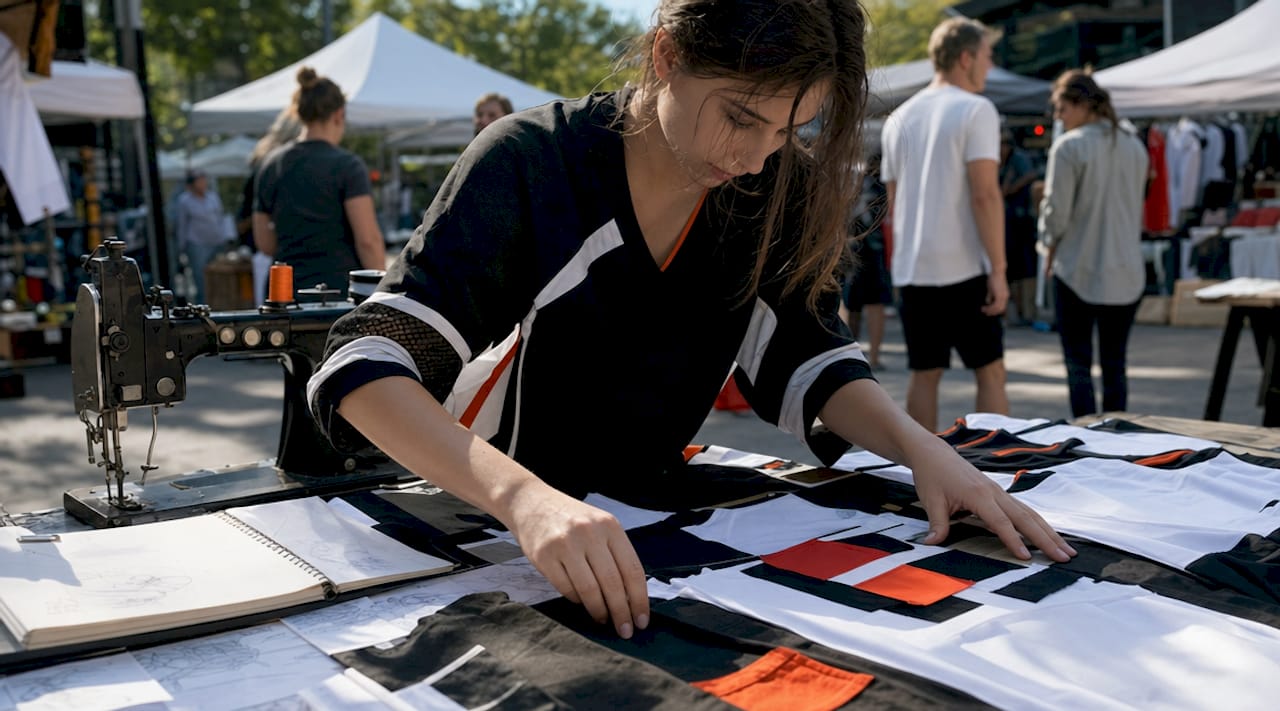
Designing a personal hockey fan shirt means creating custom apparel that puts your team pride, player loyalty, and creative vision onto a garment built to last. The industry term for this process is custom garment decoration, and it covers everything from artwork preparation to print method selection. Whether you want a personalized hockey jersey tee for game night or a one-of-a-kind piece for the whole crew, the difference between a shirt that looks professional and one that looks homemade comes down to three decisions: the right base fabric, print-ready artwork, and the correct printing method. This guide covers all three with the specificity you need to get it right the first time.
How to design a personal hockey fan shirt that actually looks pro
The foundation of any great hockey fan shirt design is the base garment. Cotton, polyester blends, and performance fabrics each behave differently under heat and ink, and choosing the wrong one for your printing method is the most common reason fan shirts look faded or cracked after a few washes.

Comparing fabric types and print compatibility
| Fabric | Best print method | Durability | Feel |
|---|---|---|---|
| 100% cotton | DTF, screen print, DTG | High | Soft, breathable |
| 50/50 poly-cotton blend | DTF, heat transfer vinyl | High | Balanced, less shrinkage |
| 100% polyester | Sublimation, DTF | Medium | Lightweight, moisture-wicking |
| Performance fabric | Sublimation | Medium | Athletic, stretchy |
Cotton is the go-to for fan shirts worn at arenas and watch parties because it holds ink well and feels comfortable through long games. Polyester blends resist shrinkage and work well for custom long sleeve tees worn in cold rinks. Performance fabrics suit athletic wear but limit your print method options to sublimation, which requires a white or light base.
Pro Tip: If you want maximum design flexibility with bold colors and gradients, choose a 100% cotton or 50/50 blend shirt and pair it with DTF printing. You get sharp edges, vibrant color, and a soft hand feel that holds up through repeated washing.
Classic short-sleeve tees are the most popular style for hockey fan shirts, but hoodies and long sleeves are strong choices for fans who wear their gear to outdoor games or cold-weather watch events. A premium cotton hockey t-shirt gives you the best canvas for detailed graphics, player names, and numbers without the fabric fighting the ink.
What artwork specs does a custom hockey shirt design require?
Artwork preparation is where most DIY fan shirt projects go wrong. Getting this step right means your design prints exactly as you see it on screen, with no blurry edges, missing fonts, or unwanted white boxes around your graphic.
Start with these non-negotiable file requirements:
- Resolution: Create or export all files at 300 DPI at print size. Anything below 300 DPI produces blurry, pixelated prints that no amount of post-processing can fix.
- File format: Save your final artwork as a PNG with transparent background. PNG supports lossless compression and alpha channel transparency, which prevents white boxes from appearing around your design on colored shirts.
- Font conversion: Convert all fonts to outlines before exporting. This eliminates font substitution errors that cause kerning shifts and missing glyphs in player names and numbers.
- Canvas size: Keep your main design within a 12 x 14 inch safe print area on the front of a standard adult tee. Designs outside this zone risk clipping when the garment is loaded onto the platen.
- Typography: Use bold, slab serif, or heavy sans-serif fonts. Letterforms below 72 points can lose detail due to dot gain and merge on cotton fibers, so avoid ultra-light or hairline fonts for names and numbers.
- Transparency check: Preview your design on a black mockup background before submitting. Hidden solid background layers produce unwanted print boxes that ruin the finished look.
For hockey jersey-inspired designs with continuous striping across the front and back, use garment templates that include bleeds and geometric guides. Proper jersey template design accounts for panel alignment and geometric continuity so stripes flow across seams without visible breaks. This is the detail that separates a fan shirt that looks like a real jersey from one that just has a logo slapped on it.
Pro Tip: Download Printify’s product-specific templates before you start designing. These templates map the exact safe-print boundaries for each garment, so you never have to guess whether your design will clip at the shoulder or get cut off at the hem.
Which printing method works best for hockey fan shirts?
Four printing methods dominate custom fan shirt production: DTF (direct-to-film), DTG (direct-to-garment), screen printing, and heat transfer vinyl (HTV). Each has a specific use case, and picking the wrong one wastes money.
DTF printing is the strongest choice for most hockey fan shirt designs. DTF delivers vibrant colors, smooth gradients, and multi-color capability in small batches without the setup costs of screen printing. It works on cotton, blends, and polyester, making it the most versatile option for personalized fan apparel. DTF’s rise in popularity is driven by its efficiency for low-volume, high-variation orders, which is exactly what most fan shirt projects look like.
DTG printing works well for photographic or highly detailed designs on 100% cotton shirts. It applies ink directly to the fabric, producing a soft feel, but it struggles on dark garments without a white underbase and is slower than DTF for multi-shirt runs.
Screen printing delivers the most durable results for large runs of the same design. It is cost-effective at 24 or more units but expensive for small batches because each color requires a separate screen setup.
Heat transfer vinyl suits simple, single-color designs and is popular for DIY projects. It is less durable than DTF or screen printing for complex multi-color graphics and can crack or peel if pressed incorrectly.
| Method | Best for | Min. quantity | Color range |
|---|---|---|---|
| DTF | Multi-color, small batch | 1+ | Full color |
| DTG | Photo-realistic, cotton only | 1+ | Full color |
| Screen print | Large runs, simple designs | 24+ | Limited by screens |
| Heat transfer vinyl | Simple, DIY | 1+ | Limited |
Pro Tip: When using DTF transfers, always pre-press your garment for three to five seconds before applying the transfer. This removes moisture and flattens wrinkles, which dramatically improves adhesion. Follow with a finishing press to reduce the plasticky shine and improve the transfer’s long-term durability.
Step-by-step process to create your custom hockey shirt
Follow this workflow from concept to finished garment:
- Choose your team colors and fonts. Pull the official hex codes for your team’s colors and select a bold font that matches the jersey style. Avoid fonts with thin strokes that will lose detail at small sizes.
- Create or source your artwork. Build your design in Adobe Illustrator or Canva using vector shapes. If you are using a team logo, get the highest-resolution version available and convert all text to outlines before saving.
- Download a garment template. Use the print provider’s official template to position your design within the safe print area. This step prevents clipping and misalignment during production.
- Export at 300 DPI as a transparent PNG. Check the file on a black background to confirm there are no hidden white layers or solid fills behind your design.
- Select your print provider or DIY method. For single shirts or small runs, DTF transfers ordered through a transfer supplier give you professional results without owning equipment. For larger orders, platforms like Rnkapparel handle the full production process with quality controls built in.
- Use a gang sheet builder for efficiency. If ordering DTF transfers, arrange multiple designs on a single large sheet to reduce cost per print. Most transfer suppliers offer a gang sheet builder tool that maximizes sheet space.
- Press and care for the finished shirt. Apply transfers at the correct temperature and pressure for your fabric type. Wash finished shirts inside out in cold water to extend print life.
Pro Tip: Always order a single test shirt before committing to a bulk run. A physical sample reveals color shifts, placement issues, and fabric feel that no digital mockup can replicate.
Common mistakes to avoid when ordering custom hockey fan shirts
Even experienced designers make these errors. Knowing them in advance saves you money and reprints.
- Low-resolution artwork. Submitting files below 300 DPI is the leading cause of blurry, pixelated prints. Always create at full resolution from the start rather than upscaling a small file.
- Ignoring safe print areas. Placing design elements too close to the collar, sleeves, or hem causes clipping. Safe print areas are a production constraint, not just a design preference.
- Missing transparency. Using a JPEG instead of a transparent PNG leaves a white box around your design on any shirt that is not white.
- Thin or decorative fonts. Ultra-light fonts and script typefaces lose legibility at small sizes on fabric. Stick to bold or heavy weights for names and numbers.
- Skipping the pre-press step. Applying a DTF transfer to a cold, wrinkled shirt causes poor adhesion and early peeling. Pre-pressing takes 30 seconds and prevents a ruined shirt.
- Mismatched fabric and print method. Applying sublimation to a cotton shirt produces a washed-out, faded result. Always confirm your fabric content before choosing a print method.
The most expensive mistake in custom fan shirt production is not the reprint. It is the time lost waiting for a second production run when game day is three days away. Get the file specs right before you submit.
Key takeaways
Designing a standout personal hockey fan shirt requires print-ready artwork at 300 DPI, transparent PNG format, and DTF printing on a cotton or blend base for the most durable, vibrant results.
| Point | Details |
|---|---|
| Fabric choice matters | Cotton and 50/50 blends work best with DTF and screen printing for durability and comfort. |
| File specs are non-negotiable | Export at 300 DPI as a transparent PNG and convert all fonts to outlines before submitting. |
| DTF is the top print method | DTF handles multi-color, small-batch orders better than screen printing or heat transfer vinyl. |
| Safe print area prevents errors | Keep designs within 12 x 14 inches on the front to avoid clipping during production. |
| Test before bulk ordering | A single sample shirt catches color, placement, and feel issues before a full run. |
Why I always start with the template, not the design
After working with hockey fan apparel for years, the single piece of advice I give every fan who wants to create custom hockey shirts is this: open the garment template first, not a blank canvas. Most people start with the creative idea and then try to fit it into the production specs. That approach produces beautiful artwork that gets clipped at the shoulder or has a white box on a black shirt.
The technical side of this process is not complicated, but it is unforgiving. A 72-point font that looks sharp on your monitor will merge into a blob on cotton if you use a hairline weight. A logo that looks perfectly centered on a flat screen will sit crooked on a shirt if you did not account for the platen loading zone. These are not artistic failures. They are production realities that templates and spec sheets solve completely.
My honest recommendation for any hockey fan who wants to design their own shirt: use DTF printing, choose a 100% cotton or 50/50 blend base, and spend the extra 20 minutes getting your file specs right before you submit. The result will look like it came from a professional shop, because technically, it did. The creativity is yours. The technical precision is what makes it real.
— Eric
Get your custom hockey fan shirt made with Rnkapparel
Rnkapparel builds custom hockey fan shirts for fans, teams, and individuals across the United States and Canada. The custom hockey t-shirt collection covers graphic tees, long sleeves, and hoodies with full customization options including player names, numbers, team logos, and color selection. Every garment is produced on quality base fabrics suited to the printing methods that deliver sharp, durable results. For fans who want to go beyond a single shirt, Rnkapparel supports bulk orders for youth and adult teams with the same personalization options. Explore the custom hockey hoodies and team accessories to complete your fan kit with gear that matches your shirt.
FAQ
What file format should I use for a custom hockey shirt design?
Use a PNG file with a transparent background at 300 DPI. PNG supports alpha channel transparency, which prevents white boxes from appearing around your design on colored shirts.
What is the safe print area for a standard adult t-shirt?
The safe print area on a standard adult t-shirt front is approximately 12 x 14 inches. Designs placed outside this zone risk clipping or misalignment when the garment is loaded onto the printing platen.
Why is DTF printing recommended for hockey fan shirts?
DTF printing handles vibrant colors, smooth gradients, and multi-color designs in small batches without the high setup costs of screen printing. It works on cotton, polyester blends, and mixed fabrics, making it the most flexible option for personalized fan shirts.
How do I prevent fonts from printing incorrectly on my shirt?
Convert all fonts to outlines or paths before exporting your design file. This step eliminates font substitution errors that cause kerning shifts and missing glyphs, particularly in player names and jersey numbers.
Can I design a hockey fan shirt at home without professional equipment?
Yes. Order pre-made DTF transfers from a transfer supplier, then apply them at home with a heat press. Pre-press the garment for three to five seconds to remove moisture, apply the transfer at the correct temperature, and finish with a second press to improve durability and reduce shine.
